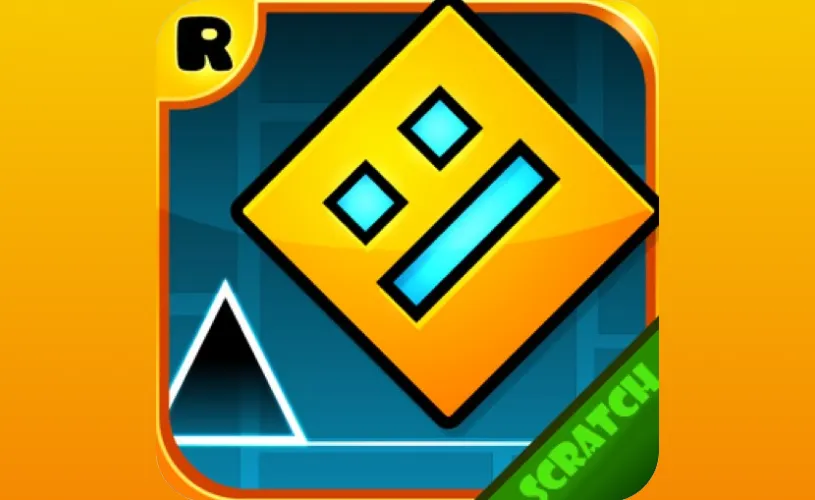
Geometry Dash Scratch









What Is Geometry Dash Scratch?
Geometry Dash Scratch is a complimentary, browser-based iteration of Geometry Dash brought to life by Griffpatch. Griffpatch stands out as one of the most renowned creators on MIT's Scratch platform. Scratch empowers anyone to build games by piecing together visual coding blocks rather than typing raw code, which makes recreating classic gameplay highly accessible.
This edition features three community-made recreations of the official levels: Stereo Madness, Back on Track, and Polargeist. Your geometric cube auto-scrolls forward, and each jump is synced perfectly with the musical beat. You can jump right into the action in your browser with absolutely no downloads needed. If you are seeking the authentic, official-style experience, you can also enjoy Geometry Dash Lite right here on Geometry Dash.
How to Play
Since your cube propels forward on its own, your primary objective is timing your jumps flawlessly. Obstacles are strategically placed in sync with the music, meaning the rhythm is just as crucial as your reflexes.
- Desktop: Tap the Spacebar or Left Mouse Button to initiate a jump.
- Hold the button: Keep it pressed to automatically jump the moment you land, a vital tactic for clearing rapid spike chains.
- Choose a level: Pick from Stereo Madness, Back on Track, or Polargeist via the main menu.
Crashing into a spike or wall instantly resets the level from the very beginning. Standard play offers zero checkpoints, turning every stage into a non-stop run from start to finish. As you internalize the beat, anticipating the next jump and dodging complex hazards becomes noticeably easier.
Cube and Ship Modes
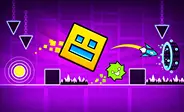
GD Scratch utilizes two distinct play styles, fundamentally altering how you maneuver your character. The default is Cube Mode, where your icon sprints along the floor and leaps whenever you press. Click once for a solitary jump, or hold the button down to bounce again the moment you touch the ground.
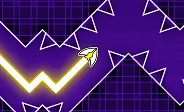
Ship Mode kicks in the second you glide through a portal mid-level. Rather than jumping, you dictate your altitude by holding the button to ascend and letting go to descend. Your ship maintains its forward momentum, demanding smooth, steady control to squeeze through narrow passages.
This form transition occurs automatically the moment you hit a portal. A single run can seamlessly bounce you between both modes, challenging both your leaping precision and flying finesse within the same stage. Many newcomers find Ship Mode tougher to grasp initially, as the physics feel radically different from the Cube.
Levels in Geometry Dash Scratch
This edition faithfully recreates the initial trio of official Geometry Dash levels. Each stage introduces fresh hurdles, perfectly prepping you for the challenges ahead.
- Stereo Madness - The ultimate training ground. It boasts wide gaps, forgiving jump timing, and your very first Ship Mode segment, making it incredibly welcoming for beginners.
- Back on Track - The tempo accelerates, with hazards spawning much closer together. You will need sharper jumps and tighter timing to maintain momentum.
- Polargeist - The most significant difficulty spike of the bunch. Extended obstacle chains, claustrophobic spaces, and highly demanding Ship Mode segments will truly test your mastery.
Every stage takes under two minutes to complete, but do not anticipate beating them on your initial run. Replaying levels is baked into the experience, and every failed attempt subtly hones your timing and builds your confidence.
Geometry Dash Scratch vs. the Original Geometry Dash
Geometry Dash Scratch is a community-driven passion project built on MIT's Scratch platform, not an official franchise release. By recreating the first three GD levels via block-based coding, the controls and timing feel incredibly close but aren't entirely identical. Veteran players might pick up on subtle nuances in movement physics and jump arcs.
Here is a quick breakdown of how the two versions stack up:
- Levels: This port houses Stereo Madness, Back on Track, and Polargeist, whereas the official title boasts a massive roster of levels and millions of user-generated stages.
- Level Editor: The official game comes packed with a robust level editor, but this version prioritizes playing over designing.
- Cost: This browser port is entirely free, whereas the mainline game is a premium paid app.
- Platforms: You can jump in via any desktop browser, while the official game spans across phones, tablets, and PCs.
If you are hunting for more official-style content without spending a dime, Geometry Arrow and Geometry Dash World serve as fantastic free avenues to prolong the adventure.
How Geometry Dash Scratch Was Made
Geometry Dash Scratch initially dropped on MIT's Scratch platform in 2020, courtesy of Griffpatch, arguably the community's most prominent creator. He also dropped a comprehensive, step-by-step tutorial series that sparked thousands of remixes and fan projects. The endeavor stands as one of Scratch's most impactful Geometry Dash recreations, simultaneously introducing a massive wave of young creators to the world of game development.
Tips and Strategy
A handful of straightforward tips can drastically improve your timing and help you clear stages with ease.
- Follow the beat. The hazards are synced to the track, so listen closely to the rhythm as you play. After a few tries, anticipating the next jump becomes second nature.
- Hold through spike chains. Keep the button held down during consecutive spikes. This ensures your cube auto-jumps upon landing, making blisteringly fast sections far more consistent.
- Look ahead. Train your eyes on the path ahead of your cube, rather than staring at your current spot. Scouting ahead affords you crucial extra milliseconds to react.
- Stay smooth in Ship Mode. Rely on short, gentle taps to navigate your ship through tight corridors. Heavy, long holds will inevitably slam you into the ceiling or floor.
- Keep practicing. Do not get discouraged if Polargeist takes dozens of runs. Every restart is a learning opportunity that improves your muscle memory and control.